The JADE-Agentcities Tutorial
A quick, hands-on guide to launch a
JADE platform and register it as a new Agentcities node
Download and install the latest version
of JADE
You can obtain the latest version of JADE
from the JADE website (http://jade.tilab.com)
following the download link. The best thing is to download the jadeAll.zip archive, which contains the compiled jar
files, the documentation, the source code and the examples.
Extract jadeBin.zip,
jadeDoc.zip, jadeSrc.zip, jadeExamples.zip from jadeAll.zip.
Then extract the content of jadeBin.zip, jadeDoc.zip, jadeSrc.zip, jadeExamples.zip into a common folder and locate the
newly created jade folder: we will refer to it as the JADE_HOME
folder.
Let's suppose, for semplicity,
that your JADE_HOME is C:\jade. At the end, you should have a
directory structure like the following one:
C:\jade
C:\jade\demo
C:\jade\doc
C:\jade\lib
C:\jade\src
To have a quick hands-on experience, you
can start a JADE platform just now, explore its management console and try its
other graphical tools. Type the following command in a DOS shell.
C:\jade>java -classpath lib/jade.jar;lib/jadeTools.jar;lib/iiop.jar jade.Boot -gui
You can find more information, tutorials, api documentation end examples
about JADE in your JADE_HOME/doc folder. A good point to start is the
administrator's guide (administratorsguide.pdf).
But to be connected to the worldwide
Agentcities network, your platform still needs two things: an http-mtp and a ping agent. So, for the moment, just shut
it down: select Shut Down Agent Platform from
the File menu.
Download the http-mtp
add-on for JADE (only for version 3.0 and 3.1)
You can find it in the add-on
section in the JADE website (http://jade.tilab.com).
Extract the http.jar
file from the HttpMtp.zip file and place it
into your JADE_HOME/lib folder.
This add-on will allow your platform to
exchange messages with other FIPA-compliant platforms through
a HTTP connections.
Compile the PingAgent
example
A ping agent is necessary to comply with
the specifications of the Agentcities project, and to be tested by the other
nodes of the network.
C:\jade\src>javac -classpath ../lib/jade.jar examples/PingAgent/*.java
C:\jade\src>jar -cvf ../lib/ping.jar examples/PingAgent/*.class
Start (again) your platform
C:\jade>java -classpath lib/jade.jar;lib/jadeTools.jar;lib/http.jar;lib/ping.jar jade.Boot -gui -name testonly.agentcities.net -mtp "jade.mtp.http.MessageTransportProtocol(http://123.123.123.123:1234/acc)" ping:examples.PingAgent.PingAgent
Please, note that you should replace testonly with the name you choose for your
platform, 123.123.123.123 with the ip-address
of your hosting machine (just type ipconfig in a DOS shell to get it) and 1234 with a port
number, preferably not closed by any existing firewall ;-)
.
Also note that, in your JADE_HOME
folder, a new APDescription.txt file has been created, containing all
the information needed to communicate with your platform. You will need it
later, when registering your platform as a node of the agentcities
network.
Create a new Agentcities group
Open the Agentcities Network website (http://www.agentcities.net) and follow
the Create Group link. Fill in the form with the information about your
organization and the administrator of the node.
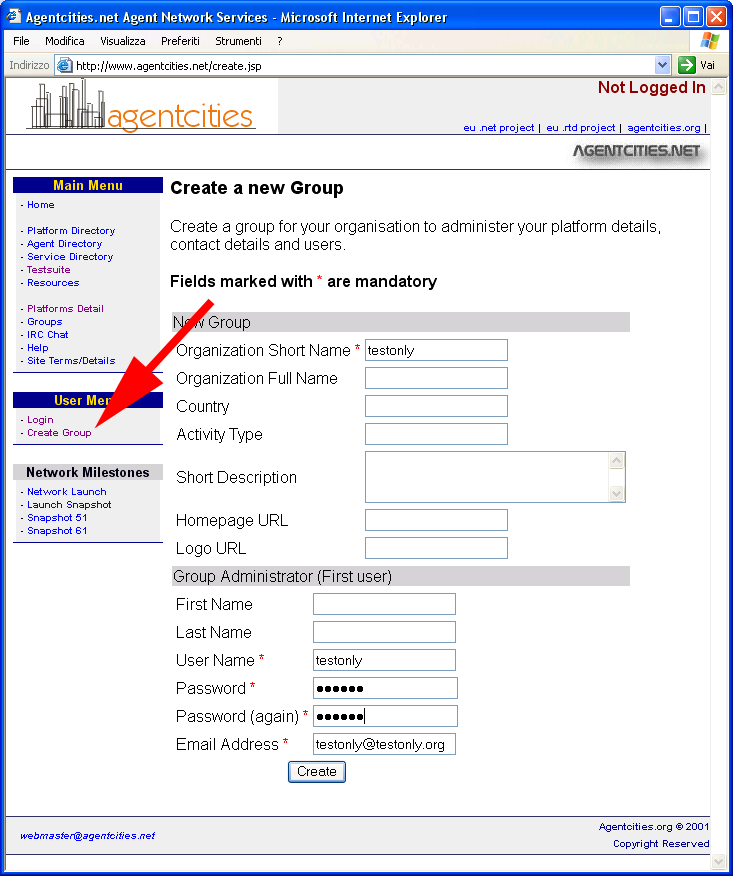
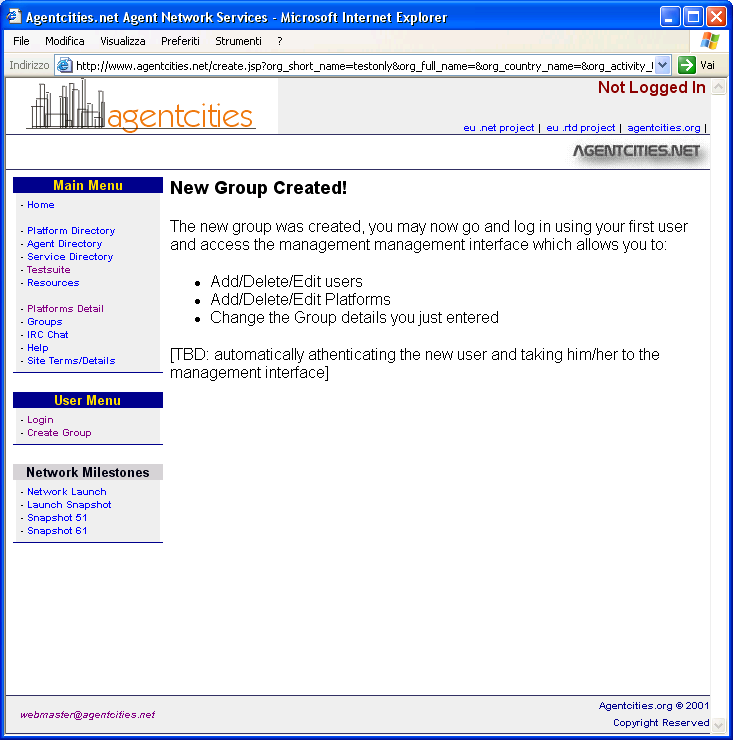
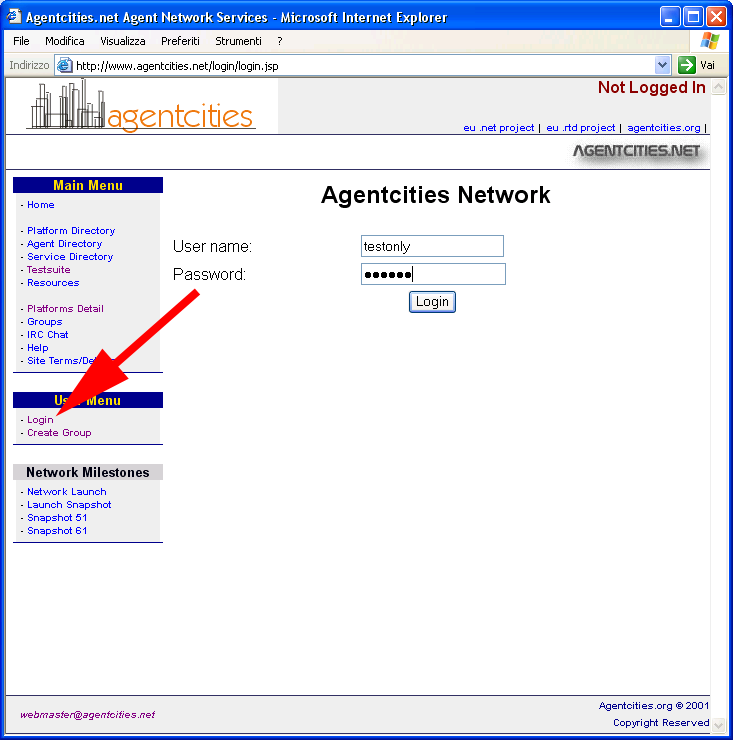
Now, follow the Login link in the User
Menu area, enter the username and password you just registered, and finally
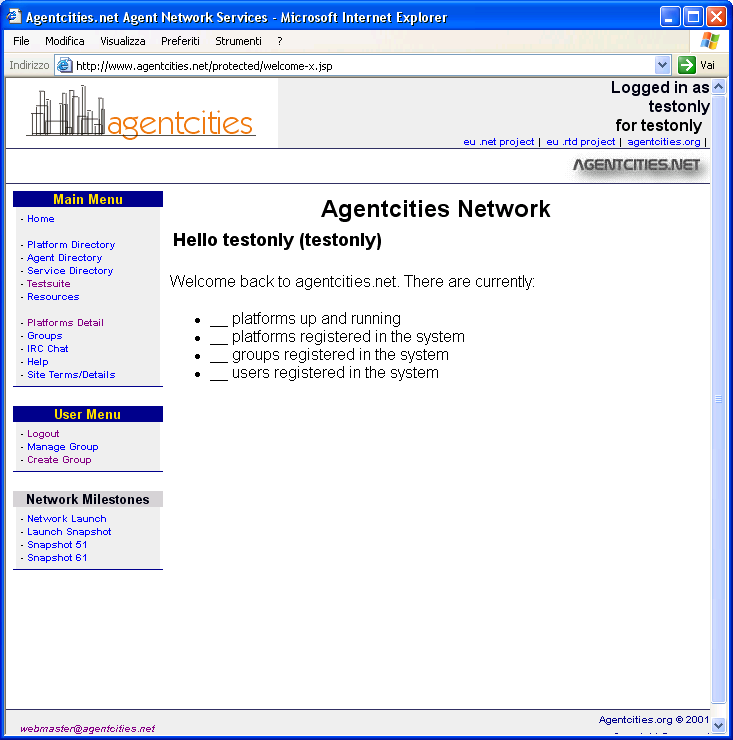
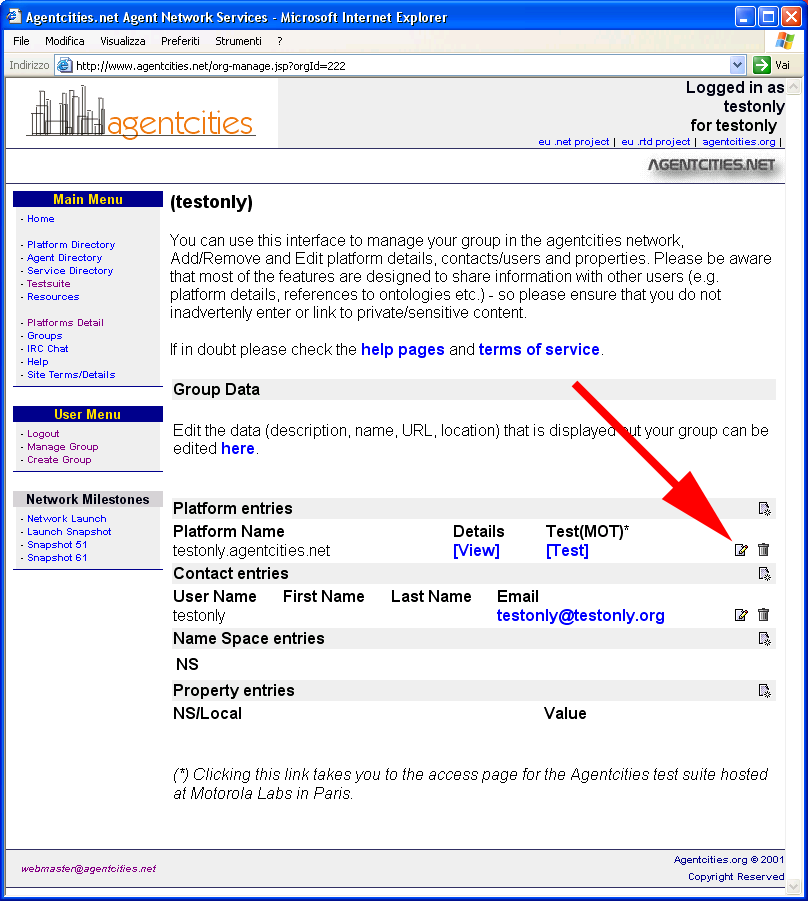
go the Manage Group page.
Register a platform
Click on the icon at the right end of the Platform
entries row.
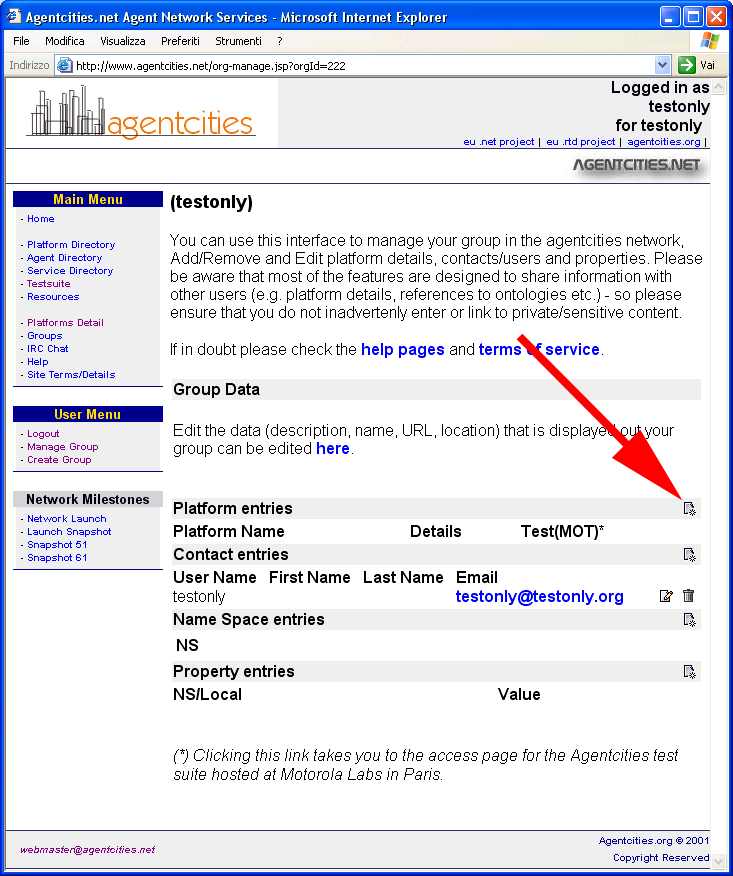
Here you must enter the details of your
platform, to make it reachable from the other nodes of the network. At least, you
must fill the fields marked with an * or with an o.
- Platform name -
Enter the name you've chosen for your platform.
- APDescription - Cut© here
the content of the APDescription.txt file, located in your JADE_HOME
folder.
- Network services - Set
all the options to yes and enter ping as Ping Agent Name.
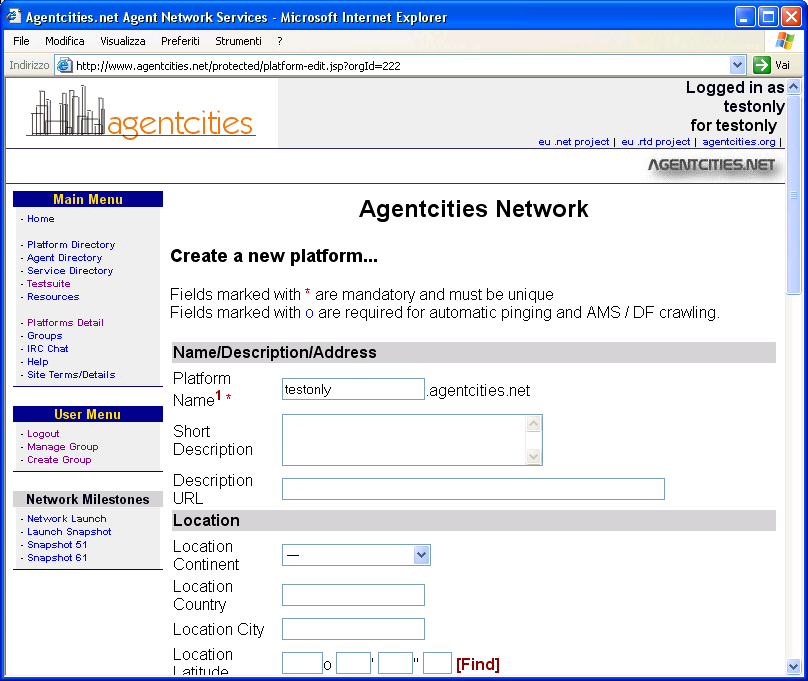
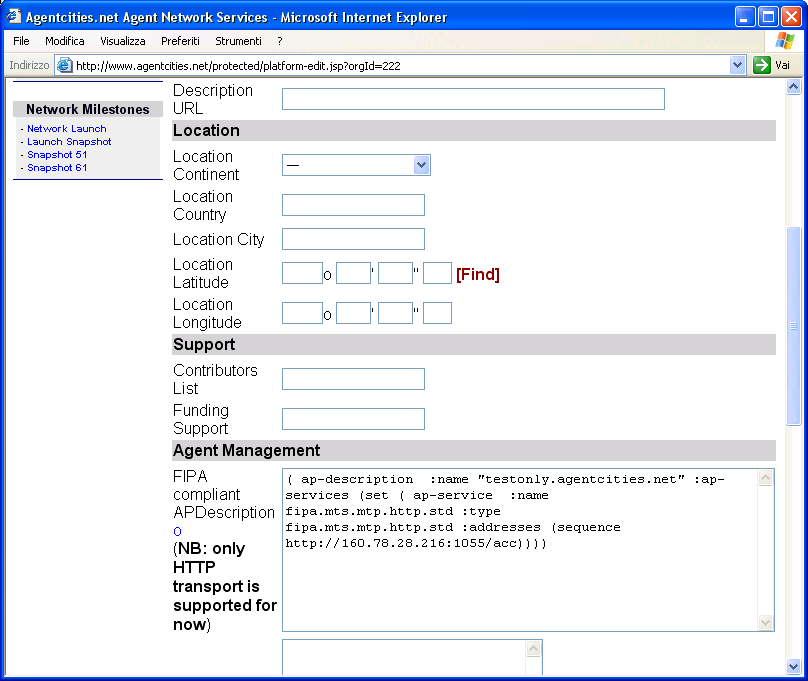
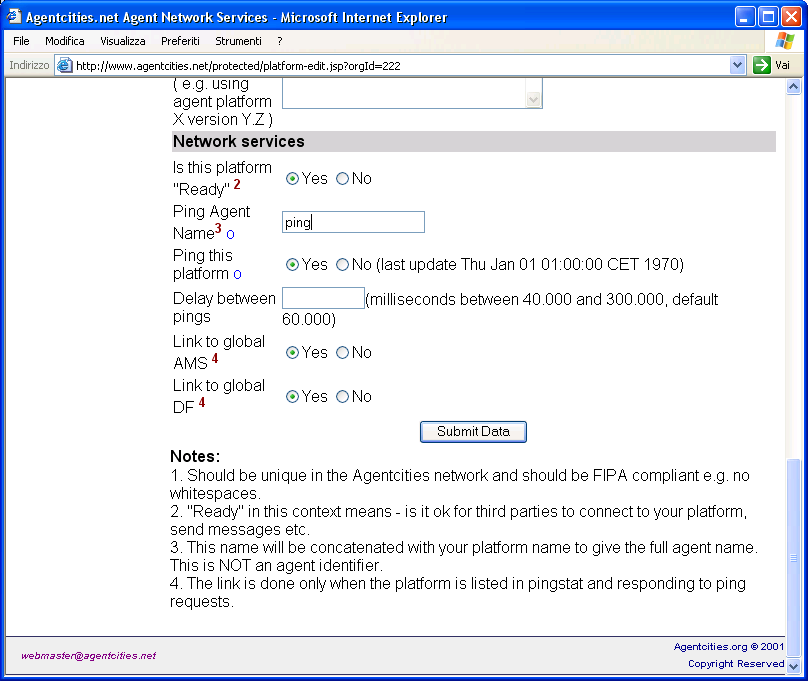
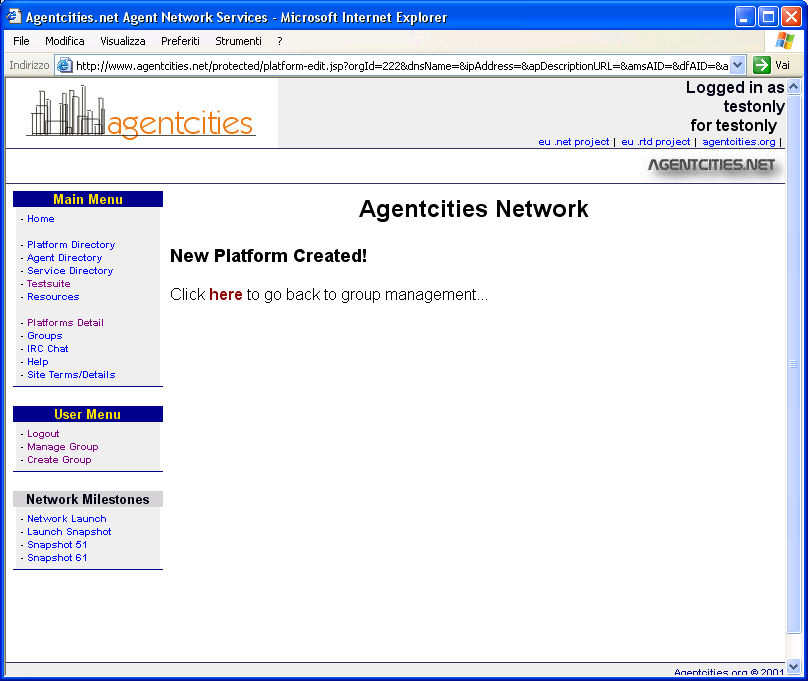
If, at any time, you need to change the
description of your platform, you can do it by clicking on the Edit Platform
icon, in the Manage Group page.
That's all. Now your platform should be
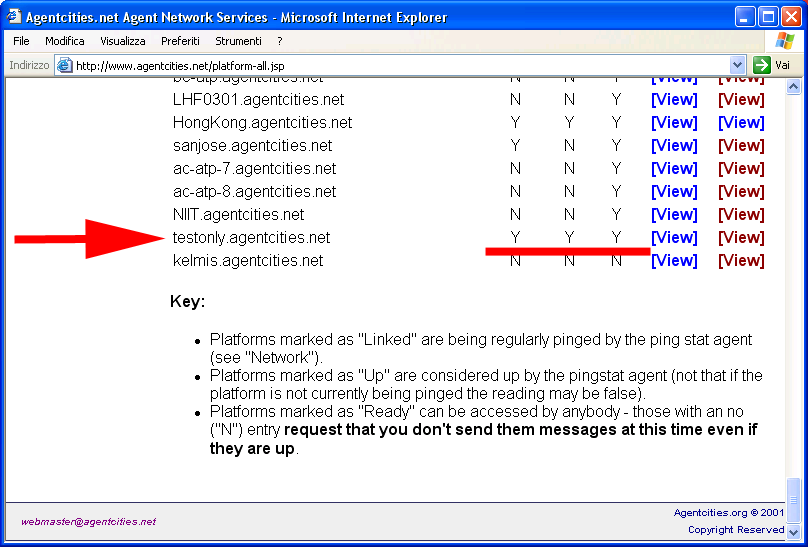
listed in the Agentcities nodes directory (http://www.agentcities.net/platform-all.jsp).
If all went right, the Pinging, Up, Ready fields should be all set to Y.
JADE Resources
- JADE - http://jade.tilab.com
- Documentation - http://jade.tilab.com/doc/index.html
- JADE Administrator's Guide - http://jade.tilab.com/doc/administratorsguide.pdf
- How to use the HTTP-based MTP - http://jade.tilab.com/doc/tutorials/http/HTTP.html
Agentcities Resources
- Agentcities Network
- http://www.agentcities.net
- Agentcities Project
- http://www.agentcities.org
- Connecting to the Agentcities Network Recommendation - http://www.agentcities.org/rec/00002/actf-rec-00002a.pdf